Best WhatsApp Automation Software for Small Businesses
ChatSync SolutionsOctober 19, 20266 min read
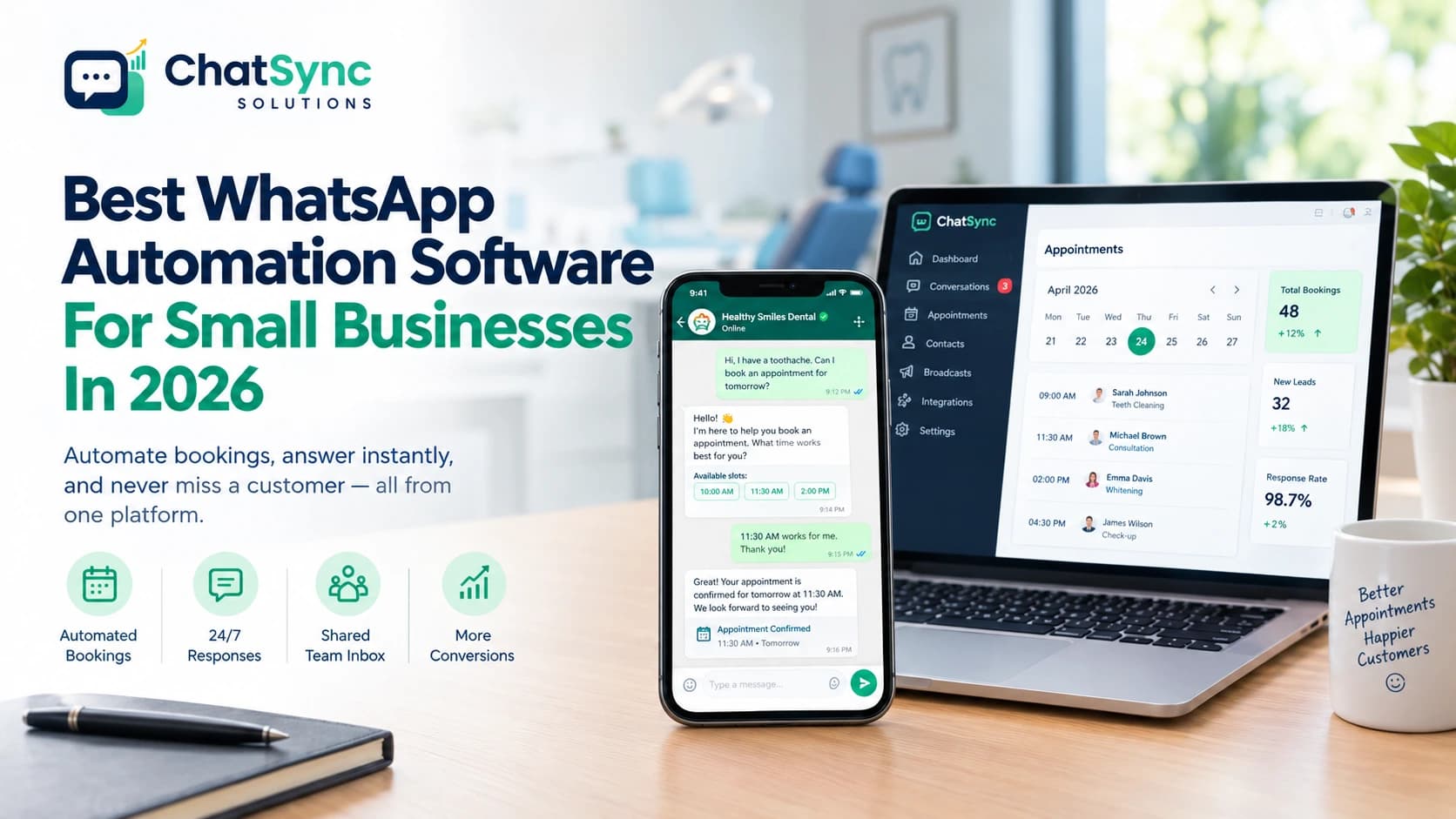
Automate customer conversations, manage appointments, and respond to leads 24/7 with WhatsApp automation software for small businesses.
Best WhatsApp Automation Software For Small Businesses In 2026
Written by the team at ChatSync Solutions. We build one of the tools mentioned here, so we’re upfront about where we fit and where we don’t.
A dental clinic closes at 6 PM. At 9 PM, a patient with a toothache messages the clinic asking for an appointment. No one replies until morning, and by then she's booked somewhere else.
WhatsApp automation fixes that. It isn’t about replacing your receptionist. It’s about making sure no message waits overnight, no missed call goes unanswered, and no booking depends on one person’s phone.
For a small business, the real question is how to get this without paying for five separate tools. Here is how to choose, and where ChatSync fits.
What to look for in WhatsApp automation software
1. Does it use the official WhatsApp Cloud API?
Tools built on unofficial workarounds risk getting your number restricted. Using Meta's official WhatsApp Cloud API helps businesses work within WhatsApp's supported infrastructure. You still need to follow messaging policies, collect the required opt-ins, and use approved templates where required. Your own practices matter too: opt-ins, approved templates, no spam.
2. Can you keep using your WhatsApp Business app?
Meta’s coexistence feature lets you keep the app on your phone while the platform runs alongside it. Ask any provider whether they support it and what the limits are.
3. How does the AI handle questions it shouldn’t answer?
If a patient asks whether their insurance covers a particular treatment, the AI should not guess. It can share information the clinic has verified, then direct the patient to a staff member if the answer depends on their individual policy.
4. Does booking sync with your real calendar?
Some tools just note down the time a customer asks for. A good one checks your actual calendar, offers only free slots, and books them automatically. Test this with your own Google, Outlook, Calendly, or Cal.com calendar.
5. What is the total cost?
Ask about the platform fee, team seats, AI usage, setup fees, and how Meta’s message charges are billed. A low starting price often leaves out one of these.
Where the Money Actually Goes (And Where You Can Save)
When reviewing automation costs, look beyond the monthly subscription. Separate tools, messaging fees, and missed booking opportunities can all affect what you end up paying.
Too many tools. A chatbot tool, a shared inbox, and a CRM, each with its own subscription. One platform that covers all three usually costs less and means no copy-pasting between systems.
Markup on Meta’s charges. Some providers add a percentage on top of Meta’s conversation fees. ChatSync bills Meta’s charges at Meta’s own rates, with no markup from us.
Missed bookings. One lost appointment can cost more than a month of software. Slow replies and unanswered calls are the hidden cost.
Setup is a cost too. We handle it for you, so you don’t need to hire a developer or agency.
How Do The Main Options Compare?
Platform | Typically a good fit for | Worth checking |
|---|---|---|
ChatSync Solutions | Appointment-based service businesses | Booking workflows, coexistence, integrations, pricing |
respond.io | Teams managing conversations across channels | Routing, workflows, channel coverage |
WATI | Businesses focused on WhatsApp communication | Broadcasts, team features, pricing |
Twilio | Businesses building custom messaging systems | Development effort, usage-based costs |
Manychat | Marketing and lead-generation workflows | Campaign features, booking capabilities |
Rather than relying on feature lists alone, test two or three platforms using the same booking request, customer question, and staff handover. This makes it easier to compare how each tool performs in your actual workflow.
Where ChatSync fits (And Where it Doesn’t)
ChatSync is designed for service businesses that manage appointments and customer inquiries throughout the day, including dental clinics, salons, spas, aesthetic centers, and fitness studios.
AI booking agent that answers questions, checks availability, books the slot, and sends 24-hour and 1-hour reminders.
One inbox for WhatsApp, Instagram, and Messenger, with assignment, notes, tags, and a human-handover control so staff can take over from the bot and hand back later.
Coexistence setup, so staff can keep replying from the WhatsApp Business app.
Missed-call recovery: an unanswered call triggers an instant WhatsApp message.
Sales funnel stages, contacts, and opt-in tracking in the same place, so you don’t need a separate CRM to start.
Broadcasts for recall reminders and offers, using Meta-approved templates.
Integrations with Google and Outlook Calendar, Calendly, Cal.com, HubSpot, Zoho, GoHighLevel, Shopify, WooCommerce, Zapier, Make, n8n, and an open REST API.
Custom builds, such as an AI trained on your own price sheets and protocols.
We’re probably not the right fit if you want a basic one-person chatbot at the lowest possible price, or a purely self-serve tool with no setup help.
How Much Does it Cost?
When comparing WhatsApp automation platforms, don't look at the monthly subscription alone. Your total bill may also include Meta messaging charges, AI usage, setup, and any custom integrations your business needs.
A clinic with one receptionist may need automated booking and reminders, while a multi-location business may also need team permissions, shared inboxes, and additional integrations. That's why ChatSync prepares quotes based on each business's requirements. Your quote is built around:
Functions you want: AI booking, inbox, broadcasts, missed-call recovery, integrations, custom builds
Team size: how many staff will use the inbox
Message volume: roughly how many conversations you handle monthly
AI usage: how much AI handling you need
Integrations and custom work: which tools connect, and whether you need custom builds
We offer three starting points: Starter, Pro, and Scale. You pay for what’s in your setup, and you can add or remove functions as you grow.
Try the live demo to see the inbox and dashboard yourself, or book a free demo, and we’ll help you pick the right combination.
How To Test Any Platform in a 30-Minute Demo
A new patient messages after hours asking for a cleaning next Friday.
The system checks your calendar and books the slot.
The patient asks something the AI shouldn’t answer. See how it hands off to a human, and how you hand back to the bot.
A staff member replies from the phone app. Check that the conversation stays in sync.
Ask for the all-in monthly cost for your team size, including AI usage and seats.
These five checks will help you see whether a platform fits your workflow before you commit to a subscription.
Frequently Asked Questions
Can I keep my current WhatsApp number?
In most cases, yes. With Meta’s coexistence setup, you keep your number and your WhatsApp Business app. Eligibility depends on your account, so we check it before setup.
Will the AI replace my front desk?
No. It handles repetitive questions and bookings, and passes complex conversations to your staff.
Is AI usage included?
AI usage is scoped in your quote based on how much you need, so you know the cost upfront.
How long does setup take?
Setup time depends on the number of eligible users, the information provided for AI training, and the integrations required. Ask the provider for a realistic launch timeline before starting.
Is patient data safe?
Messages run through Meta’s official infrastructure. If you handle health data, ask any provider how they store it and which regulations (GDPR, HIPAA) they support.
#WhatsApp Automation#Small Business Software#AI Chatbots#Appointment Booking#WhatsApp Business API#Business Messaging#Customer Support Automation