Dental Patient Follow-Up Automation: A Practical Guide for Modern Clinics
ChatSync SolutionsOctober 28, 202616 min read
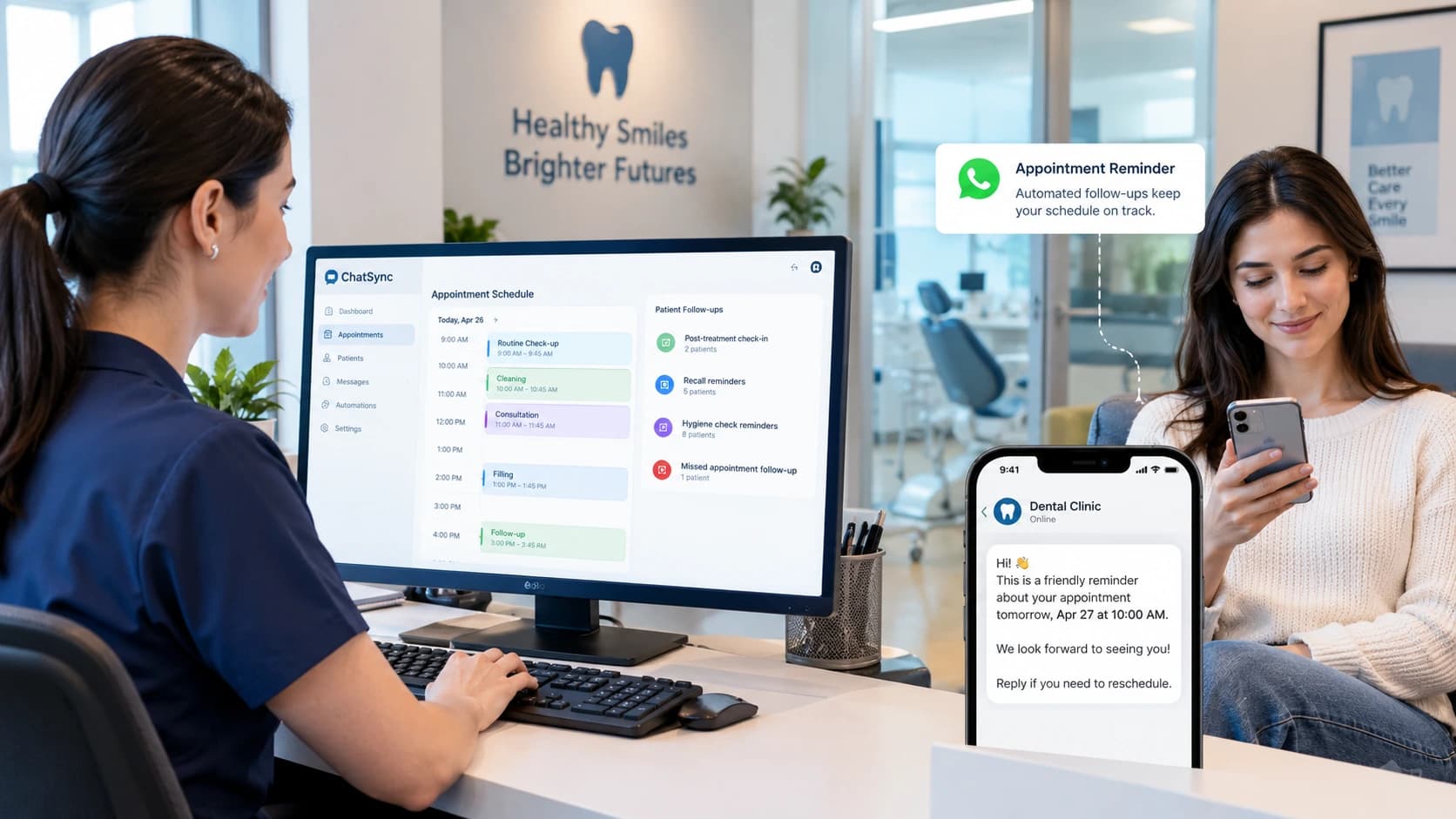
Dental patient follow-up automation helps clinics organise appointment reminders, rebooking and routine patient communication.
Dental Patient Follow-Up Automation: A Practical Guide for Modern Clinics
A patient enquires about a dental appointment but does not book. Another cancels at the last minute and never reschedules. Someone else finishes a consultation but leaves without arranging the next visit.
These situations are common operational challenges for dental clinics. They do not always mean patients have lost interest. Sometimes, the next step simply gets overlooked.
Dental patient follow-up automation helps clinics manage these interactions through structured, timely communication rather than relying entirely on manual reminders and staff memory. Depending on the system, workflows can acknowledge new enquiries, send appointment reminders, prompt patients to reschedule, and flag overdue follow-up tasks for reception staff.
The goal is not to automate every conversation. It is to make sure routine administrative follow-up happens consistently while leaving clinical decisions and sensitive conversations in the hands of qualified professionals.
What Is Dental Patient Follow-Up Automation?
Dental patient follow-up automation uses software to initiate or organise patient communications in response to defined events, dates, or appointment statuses.
For example, when a patient enquires about an appointment but does not complete the booking, a system can schedule a follow-up message. When an appointment approaches, it can send a reminder. If a patient cancels, it can prompt the reception team to offer another suitable time.
The exact capabilities depend on the software, available integrations, and workflows configured by the clinic.
Common applications include:
Following up on new patient enquiries.
Confirming appointments and sending reminders.
Helping patients reschedule cancelled or missed visits.
Reminding eligible patients about routine check-ups.
Organising follow-up tasks after consultations.
Re-engaging patients who have not returned for a scheduled recall.
Directing questions that require personal attention to reception staff.
A basic reminder system may only send scheduled messages. More advanced automation can respond to patient replies, update booking workflows, and direct conversations to the appropriate team member.
That distinction matters. Sending a reminder is one task; helping a patient complete the next step is another.
Why Dental Clinics Need a Consistent Follow-Up Process
Dental teams often manage several communication channels alongside their clinical and administrative responsibilities. Telephone calls, website enquiries, WhatsApp conversations, cancellations and recall lists can all generate follow-up work.
Without a defined process, the next action may depend on who received the enquiry, how busy reception was, or whether someone remembered to revisit the patient record.
A consistent process helps address several common problems.
1. New enquiries go unanswered for too long
A prospective patient might contact a clinic to ask about availability, opening hours or the process for arranging a consultation.
If the clinic is busy or closed, that enquiry may remain unanswered until the next working day.
An automated acknowledgement can confirm that the message has been received and explain what happens next. If booking functionality is available, the patient may also be able to request or arrange an appointment without waiting for a receptionist to begin the conversation.
Automation should not imply that a dentist is immediately available when the clinic is closed. The message should set realistic expectations and explain how urgent concerns are handled.
2. Patients forget appointments
A patient can book an appointment weeks in advance and forget the date or time.
Appointment reminders allow patients to confirm attendance, ask a question, or request a change before the appointment.
The clinic should choose reminder timings based on its own scheduling process and patient preferences. A reminder that arrives too early may be forgotten, while repeated messages sent too frequently can become irritating.
Where supported, confirmation and rescheduling options make reminders more useful than messages that simply announce an appointment.
3. Cancellations do not always lead to rebooking
A cancellation creates a gap in the schedule, but it does not automatically mean the patient no longer wants treatment.
A carefully timed follow-up can ask whether the patient would like help arranging another appointment. If the patient is interested, the booking process can continue through the clinic's approved scheduling workflow.
Staff should be able to intervene when availability is unclear, a requested appointment needs special handling, or the patient has a question that automated responses cannot resolve.
4. Recall lists become difficult to manage
Dental practices may need to contact patients when routine check-ups or hygiene visits are due, according to the clinic's approved recall policy.
When this process relies on manually reviewing lists and making individual calls, some follow-up tasks can be delayed.
Recall automation can organise eligible patients into scheduled communication workflows. It can also help the team identify people who have not responded and need a different approach.
Recall timing should be based on the practice's clinical recommendations and the individual patient's circumstances, not on a generic schedule applied to everyone.
5. Reception teams spend time repeating administrative tasks
Receptionists often answer similar questions about appointment availability, opening hours, directions, and booking procedures.
Automating suitable administrative responses can reduce repetitive work and give staff more time for conversations that require personal attention.
The objective is to support the reception team, not remove the human element from patient communication.
Which Dental Patient Follow-Up Tasks Can Be Automated?
A useful starting point is to divide follow-up into distinct workflows. Each should have a clear trigger, an appropriate message, and a defined next action.
Workflow | Example trigger | Possible automated action | When staff should intervene |
|---|---|---|---|
New enquiry | A patient submits a form or sends a message | Acknowledge the enquiry and explain how to book | The patient has a complex question or needs personal assistance |
Appointment confirmation | A booking is recorded | Send the agreed confirmation details | The booking information is incomplete or inconsistent |
Appointment reminder | The appointment approaches | Send a reminder with an appropriate response option | The patient requests a change or raises a concern |
Cancellation follow-up | An appointment is cancelled | Ask whether the patient wants to rebook | The requested slot requires manual coordination |
Missed appointment | The appointment is recorded as missed | Send a considerate message offering help with rebooking | The patient needs a personal conversation |
Routine recall | The patient becomes eligible under the clinic's recall policy | Send an approved check-up reminder | Clinical timing needs review, or the patient asks for advice |
Consultation follow-up | A defined administrative follow-up becomes due | Invite the patient to contact the clinic about next steps | Treatment decisions, suitability, or clinical questions arise |
These are examples of possible workflows, not a guarantee that every software product supports each function. A clinic should confirm the capabilities of its chosen system before implementation.
How to Build an Effective Dental Follow-Up Workflow?
Successful automation starts with a clear process. Buying software before defining the workflow can simply move existing problems into another system.
Step 1: Identify where follow-up currently breaks down
Review the patient journey from the first enquiry to the next scheduled visit.
Ask the reception team:
Which enquiries regularly need a second contact?
How are missed calls and unanswered messages handled?
What happens after an appointment is cancelled?
Who manages overdue recall tasks?
How does the team identify patients who have not responded?
Which conversations require a dentist or treatment coordinator?
Look for recurring gaps rather than attempting to automate everything immediately.
Step 2: Define triggers and ownership
Every workflow needs a reliable trigger and a clear owner.
For example, a cancellation can trigger a rebooking message, but the system must know that the appointment was actually cancelled. It should not send that message merely because an appointment record was edited.
Likewise, once a patient has booked a new appointment, the earlier rebooking sequence should stop.
Define what happens when a patient replies, opts out, books elsewhere, or needs assistance. These conditions help prevent duplicate messages and unnecessary contact.
Step 3: Write messages that sound appropriate for a dental practice
Automated communication should be brief, clear, and respectful.
A reminder does not need to explain every benefit of attending the clinic. A recall message does not need to create artificial urgency. A cancellation follow-up should make it easy for the patient to decline or request another time.
Example: New enquiry acknowledgement
"Hello, thanks for contacting Bright Smile Dental. We've received your enquiry. You can reply here if you'd like help arranging an appointment, and our team will assist you."
Example: Appointment reminder
"Hello, this is a reminder of your appointment with Bright Smile Dental on [date] at [time]. Please reply if you need help confirming or changing your appointment."
Example: Missed appointment follow-up
"Hello, we noticed you weren't able to attend your scheduled appointment. If you'd like to arrange another time, reply to this message, and our team will be happy to help."
Example: Routine recall reminder
"Hello, Bright Smile Dental is getting in touch because you may be due for a routine check-up. If you'd like to arrange a visit, please reply here or contact our reception team."
These are illustrative templates. Before use, adapt them to the clinic's actual processes, confirm that the contact is appropriate, and ensure the messages comply with applicable requirements.
Step 4: Connect communication to the booking process
Follow-up becomes less useful when a patient expresses interest but still has to start the entire process again.
Where the software supports it, connect patient responses to the appointment workflow. A patient who asks to reschedule should be directed toward available slots or a staff member who can arrange the change.
Before enabling automated booking, test whether the system handles unavailable slots, conflicting appointments, changes, and cancellations correctly.
If the system cannot reliably access current availability, it should collect the patient's preference and pass the request to reception rather than promise an unconfirmed appointment.
Step 5: Establish clear human handover rules
Some conversations should never be handled as routine automated follow-up.
Examples include questions about diagnosis, treatment suitability, medication, complications, or symptoms that require clinical assessment.
An automated system can acknowledge the message and direct it to the appropriate team member, but it should not independently diagnose a patient or recommend treatment.
The clinic should also define what happens when a patient expresses dissatisfaction, asks for a person, or reports a problem after a procedure.
Step 6: Test the entire journey before launch
Test more than the initial message.
Check what happens when a patient:
Confirms an appointment.
Requests a different time.
Cancels a booking.
Does not respond.
Books after receiving a follow-up.
Requests no further messages.
Asks a clinical question.
Sends an unclear or unexpected reply.
Verify that each scenario produces the intended result. A workflow that sends the first reminder correctly but continues messaging after a patient has rebooked is not ready for use.
How WhatsApp Fits Into Dental Patient Follow-Up Automation?
WhatsApp can provide a convenient communication channel for clinics whose patients prefer messaging to telephone calls.
Depending on the platform and configuration, a WhatsApp-based workflow may support appointment enquiries, confirmations, reminders, rescheduling requests, and follow-up conversations.
The practical advantage is that the patient can respond within the same conversation instead of having to locate a separate email or return a missed call.
However, WhatsApp is a communication channel, not a complete patient management system. Clinics should understand which records remain in their practice management software and which information is available through their messaging platform.
They should also confirm how the selected software handles appointment status, duplicate contacts, message history, and staff handover.
Why human handover still matters
Consider a patient who receives a routine reminder and replies, "I need to speak to someone about a problem after my last visit."
That response should not trigger another generic booking message.
The workflow should recognise that the conversation needs attention and route it to the appropriate member of the dental team. Clinical assessment and treatment decisions remain the responsibility of qualified professionals.
This combination of routine automation and human oversight is more appropriate than trying to automate every possible patient interaction.
WhatsApp messaging requirements
Clinics must follow the applicable WhatsApp Business policies and local laws.
WhatsApp's Business Messaging Policy requires businesses to have the necessary permission to contact recipients, respect opt-out requests, and use approved message templates when initiating conversations on the Business Platform outside the applicable customer service window.
Clinics should establish clear consent records, use appropriate templates, and ensure that their messaging practices match the permissions obtained from patients.
For US practices, the American Dental Association's HIPAA guidance also emphasises limiting the information disclosed in appointment reminders. Messages should not unnecessarily reveal treatment details or other sensitive health information.
Requirements vary by jurisdiction and communication type. Clinics should obtain appropriate legal or compliance advice when necessary rather than assuming that using a particular messaging platform automatically makes a workflow compliant.
How to Choose Dental Patient Follow-Up Software?
Not every dental clinic needs the same level of automation.
A small practice with a manageable appointment list may only need dependable reminders and a simple recall process. A larger clinic dealing with several practitioners, multiple receptionists, and high enquiry volumes may benefit from more advanced routing and integrations.
Use the following checklist when evaluating potential software.
1. Workflow flexibility
Can the system handle the specific events that matter to your practice, such as cancellations, missed appointments, unconverted enquiries, and overdue recall?
Avoid paying for complex features that do not solve an identified problem.
2. Scheduling integration
Determine whether the software can access the correct appointment information and whether changes made by staff are reflected in automated workflows.
Ask how the system prevents double-bookings, outdated reminders, and conflicting appointment statuses.
3. Two-way communication
Can patients reply to messages, request assistance, and reach a person when needed?
A one-way reminder system may be sufficient for some clinics. Others need a workflow that can interpret replies and guide patients toward an appropriate next step.
4. Privacy and access controls
Review what information the software collects, where it is processed, who can access it, and how long it is retained.
Check the vendor's contractual terms, security documentation, subprocessors, and applicable regulatory obligations. Do not assume that a general claim of being secure or compliant answers these questions.
5. Message and workflow controls
Look for ways to manage contact permissions, message frequency, opt-outs, duplicate records, and stopping conditions.
The system should make it easy for the clinic to see why a message was sent and to prevent further automated contact when it is no longer appropriate.
6. Reporting and accountability
The clinic should be able to determine whether the system is completing the intended tasks.
Useful reporting may include follow-up completion, patient responses, appointments booked after follow-up, and requests requiring staff intervention.
7. Ease of use
A powerful system is of limited value if the reception team cannot maintain it.
Consider staff training, workflow ownership, troubleshooting, integration maintenance, and the effort required to update messages when clinic procedures change.
How to Measure Whether Automation Is Working?
Installing automation does not automatically improve patient attendance or increase bookings. Results depend on the quality of the existing process, patient preferences, staff adoption, and the reliability of the software.
Establish a baseline before launch and compare results over a consistent period.
Track these measures:
Follow-up completion rate: The percentage of eligible follow-up tasks completed according to the clinic's defined process.
Patient response rate: The percentage of successfully delivered follow-up messages that receive a response, using a clearly defined measurement method.
Follow-up-to-booking rate: The percentage of eligible follow-up cases that result in a confirmed appointment within the chosen attribution window.
Rebooking rate after cancellation: The proportion of cancelled appointments that are subsequently rescheduled.
Recall booking rate: The percentage of eligible recall contacts that result in a booked appointment.
Staff time spent on follow-up: The time reception staff spend managing the relevant tasks before and after implementation.
Human handover rate: The percentage of automated conversations that require staff involvement, reviewed alongside the reasons for escalation.
Interpret the numbers carefully. For example, an increase in bookings after follow-up does not necessarily mean automation caused the entire increase. Seasonal demand, changes in staffing, and other marketing activities can also affect results.
A useful review should identify what is working, where patients stop responding, and which workflows need adjustment.
Common Mistakes to Avoid
Automating too many workflows at once
Start with one or two recurring problems, such as appointment reminders or missed-enquiry follow-up. Expand after the initial workflows have been tested and staff understand how to manage exceptions.
Sending too many messages
Repeated contact can frustrate patients and damage trust. Use a defined communication schedule, stop when the task is complete, and respect requests to discontinue messages.
Using the same message for every patient
A new enquiry, a cancelled appointment and an overdue recall are different situations. Messages should reflect the reason for contact without exposing unnecessary personal or clinical information.
Treating automation as a replacement for clinical judgment
Administrative workflows can support communication, but they should not make diagnoses or determine treatment. Establish clear escalation rules for clinical questions and concerns.
Ignoring integration limitations
If appointment records do not update reliably, automated messages may contain incorrect information. Test the complete workflow and confirm how errors are identified and corrected.
Measuring messages instead of outcomes
A large number of sent messages does not demonstrate that a clinic has improved its follow-up process. Focus on meaningful measures such as completed follow-up, rebooking, response, and staff workload.
How ChatSync Solutions Can Support Dental Patient Follow-Up
ChatSync Solutions offers WhatsApp-based automation for dental clinics, including automated appointment booking, reminders, rescheduling workflows, patient enquiries, and human handover.
For practices that receive enquiries through WhatsApp, this type of setup can help organise routine communication and give patients a clearer route to booking or requesting assistance.
The appropriate configuration depends on the clinic's existing scheduling process, communication requirements and software integrations. Practices should confirm the exact capabilities they need before implementation, particularly where integration with a dental practice management system is required.
ChatSync Solutions is best considered in the context of the clinic's broader workflow rather than as an automatic replacement for its existing clinical or patient-record software.
If your reception team regularly handles unanswered enquiries, appointment changes or repetitive booking questions, reviewing those workflows is a sensible starting point.
You can explore the [ChatSync Solutions dental automation offering] or request a demonstration to discuss whether its available features fit your clinic's needs.
Frequently Asked Questions
What is dental patient follow-up automation?
Dental patient follow-up automation uses software to organise or send communications in response to events such as new enquiries, upcoming appointments, cancellations, and recall dates. Depending on the system, it can reduce manual follow-up work and help clinics manage routine communication more consistently.
Can dental clinics automate appointment reminders?
Yes. Suitable systems can send reminders based on appointment dates and configured rules. Clinics should verify appointment details, use appropriate messages, respect communication permissions, and provide a way for patients to request assistance or changes.
Can WhatsApp be used for dental patient follow-up?
WhatsApp can support dental appointment enquiries, confirmations, reminders, and other permitted communications when the selected platform supports those workflows. Clinics must follow applicable WhatsApp policies, obtain the required permissions and comply with relevant privacy and communications laws.
Does dental follow-up automation replace reception staff?
No. Automation can assist with repetitive administrative tasks, but staff remain important for exceptions, complex requests, patient concerns, and situations requiring judgment. Clinical questions must be directed to appropriately qualified professionals.
Can automation help clinics follow up after a missed appointment?
Yes. A configured workflow can identify an eligible missed appointment and send an appropriate message offering help with rescheduling. The clinic should ensure that appointment statuses are accurate and that follow-up stops when the patient has rebooked or opted out.
What is the difference between appointment reminders and patient recall automation?
Appointment reminders relate to an appointment that has already been scheduled. Patient recall automation helps a clinic contact eligible patients when another routine visit may be due, according to its approved recall process.
How should a dental clinic choose follow-up software?
Start with the problems the clinic needs to solve. Evaluate scheduling integrations, workflow flexibility, two-way communication, privacy controls, message management, reporting, and ease of use. Test the software against real operational scenarios using appropriate test data before rolling it out.
How can a clinic measure the success of follow-up automation?
Track follow-up completion, patient response, rebooking after cancellation, recall bookings, and staff time spent on follow-up. Compare results against a baseline and interpret changes in the context of other factors affecting appointment demand.
Is automated dental patient follow-up compliant with privacy regulations?
It can be configured to support compliant communication, but compliance is not automatic. The clinic must assess the applicable laws, consent requirements, data handling, vendor arrangements, access controls, and message content for its jurisdiction and intended use.
Can AI answer patients' dental questions automatically?
AI can assist with approved administrative information, such as opening hours, booking procedures, and appointment availability, when the relevant information is available and verified. It should not independently diagnose conditions, recommend treatment, or replace a dentist's clinical judgment.
Build a More Consistent Patient Follow-Up Process
Dental patient follow-up works best when every routine interaction has a clear purpose, an appropriate next step, and a defined point for human involvement.
Start by identifying where enquiries, cancellations, reminders, or recall tasks are being missed. Choose one workflow, establish how success will be measured, and test the complete process before expanding it.
For clinics that already use WhatsApp to communicate with patients, automation may offer a practical way to organise booking conversations and routine follow-up.
Explore the ChatSync Solutions dental automation offering or request a demo to discuss the available options for your practice.