
How Dental Appointment Reminders Reduce No-Shows
ChatSync SolutionsOctober 28, 20268 min read
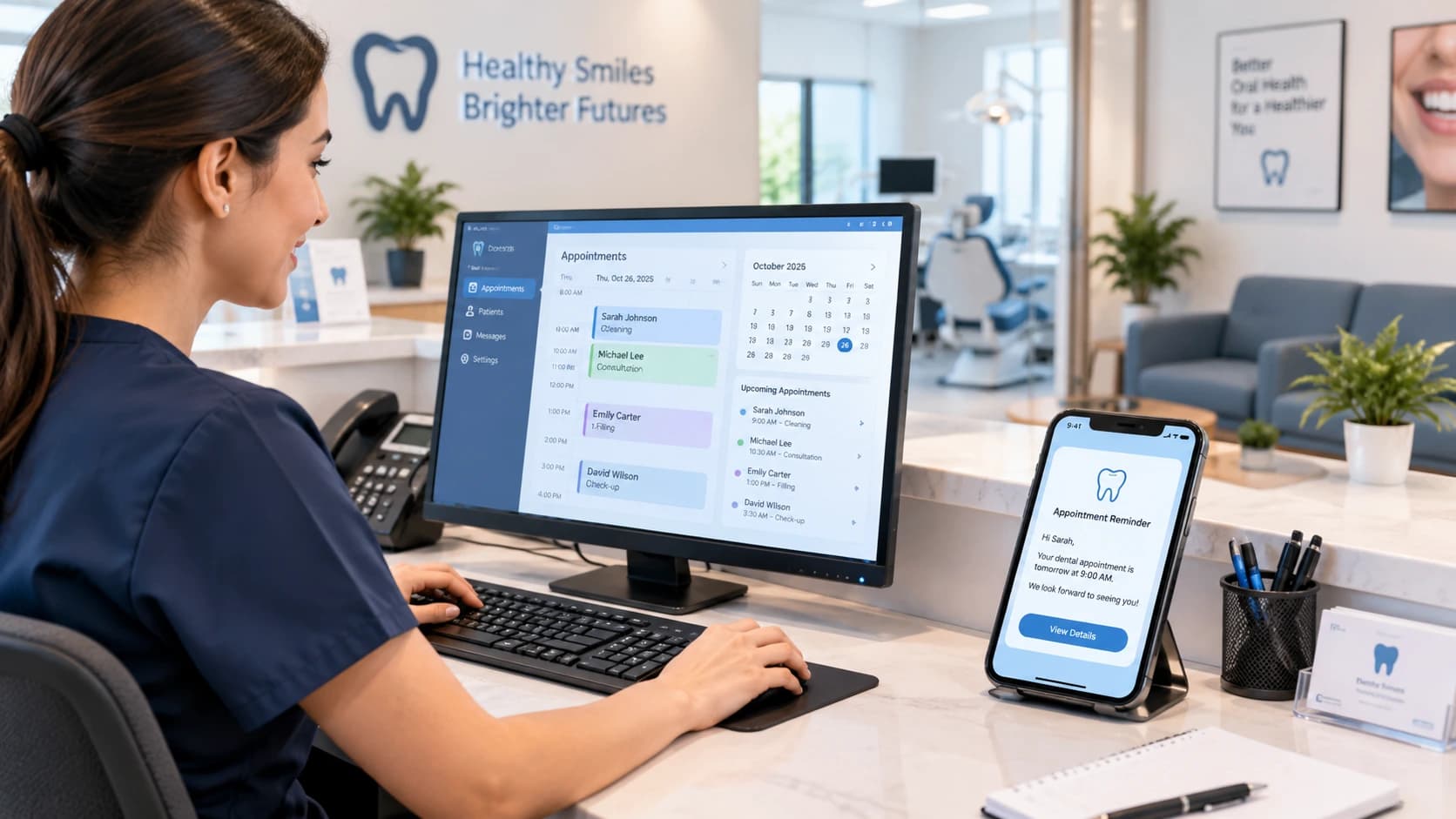
Timely appointment reminders help dental clinics improve communication and make rescheduling easier for patients.
How Dental Appointment Reminders Reduce No-Shows
A missed dental appointment leaves an empty slot that could have been offered to another patient. It can also disrupt the day’s schedule, waste staff time, and delay care for someone who needs treatment. While not every missed visit can be prevented, a well-designed reminder process can make it easier for patients to remember appointments, confirm attendance, or reschedule when plans change.
Dental appointment reminders work best when they are timely, easy to understand, and simple to respond to. With the right process, clinics can reduce avoidable no-shows without making patients feel overwhelmed by messages.
Why Do Patients Miss Dental Appointments?
There is rarely one explanation for every missed visit. Patients may forget the date, overlook a confirmation message, have a work or family commitment, or find that transport arrangements have changed. Some may also be unsure how to cancel or reschedule.
A reminder cannot solve every underlying problem, but it can address common communication gaps. It gives patients another opportunity to check the appointment details and tell the clinic if they can no longer attend.
Clinics should also look at their own processes. Outdated contact details, unclear booking information, and slow responses to rescheduling requests can make attendance harder than it needs to be.
How Dental Appointment Reminders Help Reduce No-Shows
1. They make appointment details easier to remember
A reminder gives patients a prompt to check the date, time, and location of their visit. Sending it in advance gives them time to plan around work, school, transport, and other responsibilities.
Keep messages concise. Include the appointment date and time, the practice name, and a clear way to contact the clinic. Add directions or preparation information only when appropriate.
2. They give patients time to reschedule
A patient who cannot attend may simply miss the appointment if changing it feels inconvenient. A reminder that invites the patient to confirm, cancel, or request another time makes the next step clearer.
This also benefits the clinic. When a patient cancels early enough, staff may have an opportunity to offer the slot to someone else.
3. They support a consistent follow-up process
Manual reminders depend on staff availability. During busy periods, a call or message may be delayed or forgotten.
An automated workflow can send scheduled reminders based on the appointment date, reducing the amount of repetitive work involved. Staff can then focus on patients who need a personal response, rather than checking every upcoming appointment manually.
4. They help clinics respond to uncertainty
Some patients need to ask a question before confirming. They may need to check the time, request a change, or speak to the receptionist.
A useful reminder process makes it clear how to reply. Where automation is used, messages that require judgement or staff assistance should be passed to a person instead of leaving the patient stuck in an automated conversation.
What Is a Practical Dental Reminder Schedule?
There is no single schedule that suits every practice. The right timing depends on appointment type, patient preferences, local requirements, and how much notice the clinic needs to fill a cancelled slot.
A clinic could test a simple process such as this:
Timing | Purpose | Suggested approach |
|---|---|---|
At booking | Confirm the appointment | Share the date, time, and practice contact details. |
A day or two before | Prompt the patient to prepare | Ask the patient to confirm or contact the clinic if plans have changed. |
On the day, if appropriate | Provide a final prompt | Send a brief reminder only if it suits the practice's policy and the patient's preferences. |
After a missed visit | Support rebooking | Contact the patient politely and offer a way to arrange another appointment. |
This is an example to test, not a universal rule. Avoid sending unnecessary or repetitive messages. Review the results and adjust the schedule to suit your patients.
Example Messages Dental Clinics Can Use
Appointment confirmation
“Hello [First Name], your appointment with [Practice Name] is scheduled for [Date] at [Time]. Please contact us if you need to make a change.”
Pre-appointment reminder
“Hello [First Name], a reminder of your appointment at [Practice Name] on [Date] at [Time]. If you need to reschedule, please reply or contact our team.”
Missed-appointment follow-up
“Hello [First Name], we missed you at your scheduled appointment. If you would like to arrange another time, please contact [Practice Name], and our team will be happy to help.”
Use placeholders only in templates, and check that the appointment information is accurate before messages are sent. Keep sensitive clinical details out of routine reminders unless the communication method and applicable rules permit them.
How to Measure Whether Reminders Are Working?
Sending more messages does not automatically mean fewer missed appointments. Track results so the clinic can understand which parts of its process are helping.
Useful measures include:
No-show rate: The percentage of scheduled appointments that patients miss without cancelling in advance.
Confirmation rate: The percentage of appointments for which patients confirm attendance.
Advance cancellation rate: How often patients cancel before the appointment.
Rescheduling rate: How many patients arrange another time after receiving a reminder.
Recovered appointment slots: How often cancelled slots are successfully offered to other patients.
Staff time spent on reminders: The time the team spends contacting patients manually.
Compare results over similar periods and appointment types. A rise in cancellations is not necessarily a failure: earlier notice may give the clinic more time to reallocate the slot. The important question is whether the overall scheduling process is becoming more reliable.
Can WhatsApp Automation Help Dental Clinics?
For clinics that already communicate with patients on WhatsApp, automation can support appointment confirmations, reminders, and rescheduling conversations in one messaging workflow. It can also help staff manage incoming enquiries and identify conversations that need human attention.
ChatSync Solutions offers a dental-focused automation service designed to support WhatsApp enquiries, appointment reminders, and rescheduling workflows. Clinics can explore the [ChatSync dental clinic solution] and assess whether its capabilities fit their existing booking process.
Automation should support the reception team, not replace the judgement needed for sensitive or complicated conversations. Before choosing a platform, confirm how it handles appointment data, staff handover, access controls, and the clinic's scheduling system.
Protect Patient Privacy and Respect Messaging Preferences
Appointment reminders should be helpful, expected, and discreet. Ask patients which communication method they prefer, keep their contact details up to date, and respect requests to change or stop messages.
For WhatsApp Business messaging, obtain the required opt-in permission, follow the applicable platform policies, and use approved message templates when required. Make it straightforward for patients to opt out. Requirements can vary by jurisdiction, so clinics should review the laws that apply to their patients and communications.
Avoid including unnecessary treatment details in a message that someone else might see. A reminder usually needs only enough information to help the patient recognise the appointment and contact the practice.
Build a Reminder Process That Works for Your Practice
Dental appointment reminders are most useful when they are part of a wider scheduling process. Accurate contact information, clear booking details, convenient rescheduling and timely staff follow-up all contribute to a better patient experience.
Start with a simple reminder workflow, measure missed appointments and advance cancellations, then adjust timing and messaging based on what your patients respond to. If your team spends too much time sending reminders manually, explore whether appointment automation can make the process more consistent.
The aim is not to message patients more often. It is to make it easier for them to attend, communicate a change, and receive the help they need.
Frequently Asked Questions
How do dental appointment reminders reduce no-shows?
Dental appointment reminders help patients remember their scheduled visits and give them time to confirm, cancel, or reschedule. Sending reminders through WhatsApp, SMS, or email can reduce missed appointments and help dental clinics manage their schedules more efficiently.
When should dental clinics send appointment reminders?
Dental clinics can send the first reminder 24–48 hours before an appointment and a follow-up reminder on the day of the visit. The ideal schedule depends on the clinic’s workflow, appointment type, and patient preferences. Clinics should avoid sending too many messages.
Is WhatsApp effective for dental appointment reminders?
WhatsApp can be an effective channel for dental appointment reminders because patients can receive messages and respond through a familiar messaging app. With an appropriate automation system, clinics can send reminders, request confirmations, and guide patients through rescheduling when supported by the system.
What should a dental appointment reminder message include?
A dental appointment reminder should include the clinic’s name, appointment date and time, and simple instructions for confirming or changing the booking. It should also provide a way to contact the clinic. Avoid including unnecessary personal or sensitive medical information in reminder messages.
Can automated reminders help dental clinics manage cancellations?
Yes. Automated reminders can encourage patients to confirm or cancel appointments in advance. When a patient cancels early, the clinic has more time to offer the available slot to another patient. The results depend on the reminder workflow and how the clinic handles cancellations.
How can dental clinics measure the effectiveness of appointment reminders?
Clinics can track their no-show rate, appointment confirmation rate, cancellation rate, rescheduling rate, and the number of previously empty slots that get filled. Comparing these metrics before and after introducing reminders can help determine whether the system is improving appointment management.
Can dental appointment reminders be automated through WhatsApp?
Yes. Dental clinics can use WhatsApp automation to send appointment-related messages and manage patient responses, depending on the software’s features and configuration. Before choosing a solution, clinics should check its booking integration, confirmation workflow, message-template requirements, and patient consent processes.
What should dental clinics consider when choosing appointment reminder software?
Dental clinics should evaluate ease of setup, booking-system integration, WhatsApp or SMS support, reminder scheduling, confirmation and rescheduling workflows, reporting, data security, and ongoing costs. The best solution is one that fits the clinic’s existing process and helps staff manage appointments with less manual work.
Credible external sources
Article ki factual credibility ke liye in sources ko relevant anchor text ke saath link kar sakte hain:
Research evidence: Using Digital Notifications to Improve Attendance in Clinic BMJ Open
Reminder messages aur appointment attendance par systematic review.
#Dental Clinics#Booking & Scheduling#Appointment Reminders#Dental Automation#WhatsApp Automation