Dental Appointment Booking Software: What to Look For
ChatSync SolutionsOctober 1, 202616 min read
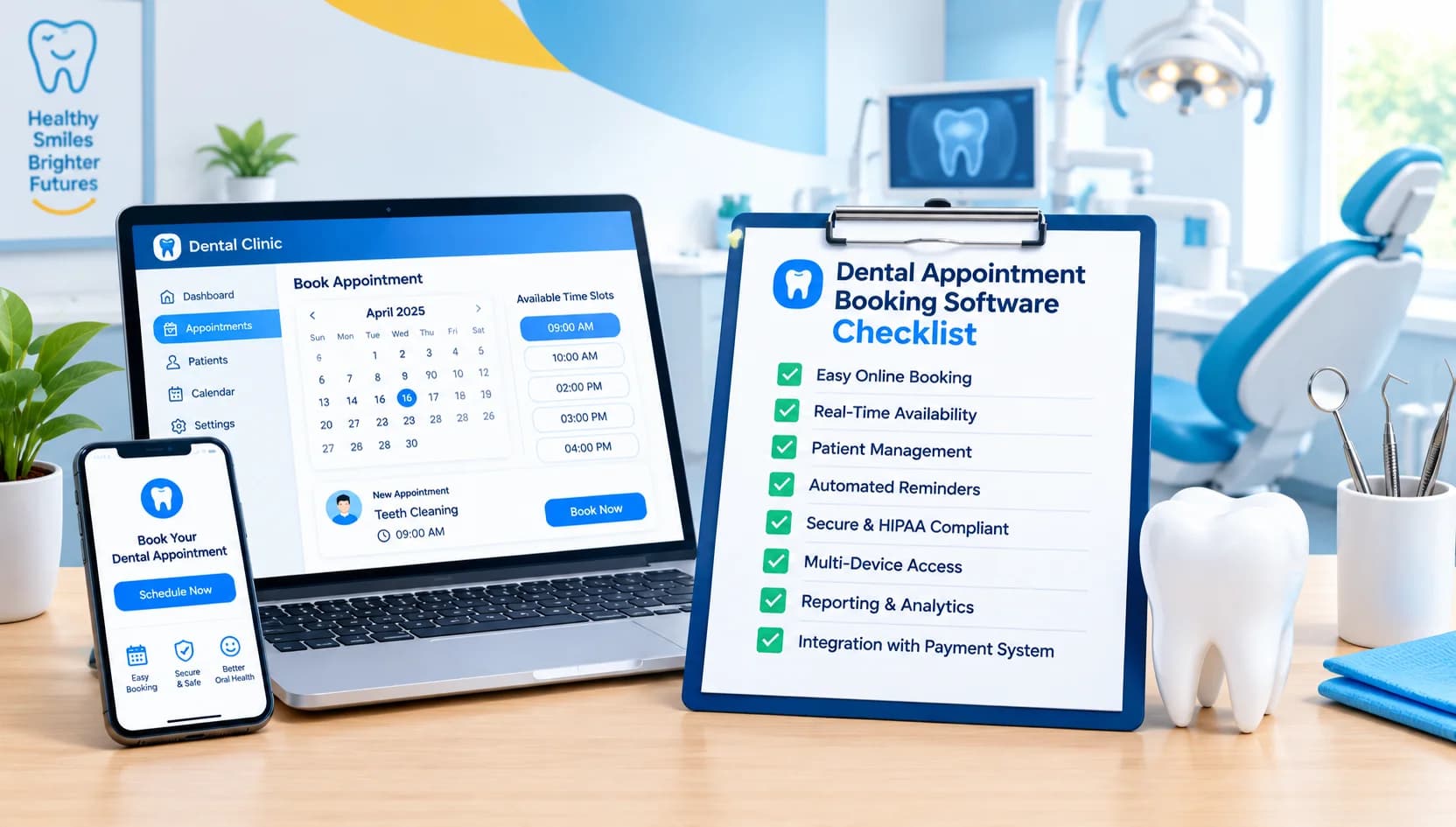
A shared view of appointments and patient messages helps front desk teams keep up with bookings, reminders, and enquiries.
Dental Appointment Booking Software: What to Look For
It's 9:40 on a Monday morning. The receptionist is checking in a patient at the front desk. The phone rings. A WhatsApp message came in at 10 the night before from someone asking if there's any room this week for a broken filling. Another patient emailed to say she can't make tomorrow's appointment, and nobody has checked that inbox yet.
Nothing here is unusual. It's an ordinary morning at a dental clinic, and it shows why appointment software has to do more than display a calendar. Patients now reach out by phone, website, WhatsApp, email, and social media, often outside opening hours. If those messages land in five different places, someone has to gather them, answer them, and turn them into booked appointments.
This guide covers what dental appointment booking software should do, which features matter most in daily practice, and what to check before you commit to a system.
What is Dental Appointment Booking Software?
Dental appointment booking software lets patients book, change, confirm, or cancel appointments without needing a phone call every time, and it gives the clinic one place to see and manage those requests. Better systems also handle reminders, patient messages, follow-ups, and basic reporting.
Patients usually meet it as a booking page on the clinic's website, a chat window, or a WhatsApp conversation. They pick a treatment or appointment type, see the times that are actually free, and get a confirmation. Later they receive a reminder, and if something comes up, they can move the appointment without calling.
Staff see the other side: incoming requests, the day's schedule, conversation history, and the tasks that need a person, such as a patient with a complicated question or someone who sounds like they're in pain.
A basic calendar only records appointments that somebody has already arranged. Booking software helps with the arranging. It answers the "do you have anything on Thursday?" question, holds the slot, sends the confirmation, and flags the cancellation. The terms overlap in search results (dental scheduling software, dental booking software, dental practice booking system), and products vary a lot in what they include. That's why the feature list matters more than the label.
What to Look For in Dental Appointment Booking Software?
A good system should make booking easier for patients while cutting down repetitive work for the clinic. That means real-time availability, online booking, reminders, rescheduling, patient messaging, shared staff access, reporting, and secure handling of patient information. Beyond that list, the details separate systems that help from systems that create more admin.
Easy online booking
If booking takes more than a minute or two, patients drop out. Most will do it on a phone, often while doing something else, so the flow has to work on a small screen with no zooming, no confusing dropdowns, and no account creation before they've seen a single time slot.
Check how the booking form handles the real structure of your clinic. Can patients choose between a check-up, a hygiene visit, and a new-patient consultation? If your dentists offer different treatments, can the system show only the times that fit the right person and the right appointment length? A 15-minute slot offered for a 45-minute treatment is worse than no online booking at all, because your team has to unpick it.
The patient should finish with a clear confirmation showing the date, time, dentist, and location, ideally with an easy way to change it.
Real-time availability
Online booking is only as good as the availability behind it. If the booking page shows stale slots, you get double bookings, apologetic phone calls, and patients who arrive for appointments that don't exist.
This happens more often than clinics expect when the booking tool and the main schedule are separate and sync on a delay, or when reception has to manually approve every request. Ask exactly how availability is calculated, how often it updates, and what happens when two people try to book the same slot. Also ask how blocked time is handled: lunch, staff leave, emergency slots you want to keep open, and treatments that need a longer chair time.
Automated appointment reminders
Reminders are among the most useful things the software can do, and also among the easiest to get wrong. A reminder that only says "you have an appointment" is a start. A good one lets the patient confirm, cancel, or ask to reschedule in a single reply.
Look at which channels are supported (WhatsApp, SMS, email) and whether you can choose per patient or per clinic. Look at timing too. Many clinics want one reminder a few days ahead and a second closer to the appointment, but the right pattern depends on how far in advance your patients book. And check what happens after a cancellation. If the slot just sits empty, the reminder solved half the problem. Some systems make it easy to offer the freed time to someone else, or at least alert your team quickly.
WhatsApp appointment booking
In many markets, patients simply prefer WhatsApp. It's already on their phone, they're used to messaging businesses there, and writing "Can I come in on Friday?" feels easier than finding a phone number and waiting on hold.
The question is whether WhatsApp is only a notification channel or a real booking channel. Some tools just push out reminders. That's helpful, but the patient still has to phone, or click a link to do anything. Conversational booking means the patient can ask for a time in ordinary words, be shown what's available, choose one, and get a confirmation, all inside the same chat.
For clinics that want that, it's worth looking at WhatsApp-first tools. ChatSync Solutions is one example. Its approach is built around the clinic's own WhatsApp number, connected through the Official Meta Cloud API, and it handles booking conversations, confirmations, reminders, and rescheduling there. The official API route matters because it's the sanctioned way for businesses to use WhatsApp at scale, and it comes with Meta's messaging rules and costs, which we'll come back to under pricing.
An AI dental receptionist
An AI dental receptionist is software that responds to patient messages automatically and handles routine administrative tasks: answering common questions, collecting details from new enquiries, offering appointment times, confirming bookings, sending reminders, and passing the conversation to a person when needed.
In practice, that covers a lot of the repetitive traffic. Opening hours. Where to park. Whether you accept new patients. How to get a check-up booked. Whether you treat children. A receptionist who no longer answers the same ten questions forty times a week has more time for the patient standing in front of them, and the person who messages at 11 p.m. gets a useful reply rather than silence until morning.
There's a firm line worth keeping in mind, though. This is administrative automation. It isn't a dentist. It shouldn't diagnose problems, suggest treatments, or tell a patient what a symptom probably means. A good setup restricts the assistant to what the clinic has told it: services, pricing, availability, and FAQs. Anything clinical or unclear should go to a member of staff.
ChatSync Solutions describes its AI Dental Receptionist along these lines: 24/7 automated responses, FAQ handling, lead capture, real-time slot availability, booking confirmations, reminders, and rescheduling. It isn't positioned as a replacement for your front desk team. The point is to take the routine load so people can handle the conversations that need a person.
Human handover
This is the feature that's easiest to overlook in a demo and most painful to be without in real life. Sooner or later, a patient will ask something the automation shouldn't answer, or they'll be upset, or their situation will be complicated. They need to reach a real person without repeating everything.
When you evaluate a system, look for a clear way for staff to take over a conversation, and for patients to ask for one. Check whether staff are notified when a handover happens, because a takeover nobody sees isn't a takeover. Look for conversation assignment, so it's obvious which receptionist owns which chat, and internal notes, so a colleague picking up later understands what's already been said. The patient should never feel they're stuck in a loop with a bot.
Emergency enquiry workflows
Dental clinics get urgent messages: pain, swelling, a knocked tooth, a broken crown before a holiday. Software can help by spotting wording that suggests urgency, tagging or prioritizing those conversations, and alerting staff quickly. That's a routing job, and it's a valuable one, because an urgent message shouldn't sit in the same queue as a question about whitening.
What software shouldn't do is assess the condition. Deciding whether something is an emergency, what to advise, and how quickly the patient needs to be seen belongs to qualified clinical staff. A sensible workflow acknowledges the message, collects basic details, flags it for the team, and sets the patient's expectations about who will respond. Ask any vendor exactly what their emergency handling does and doesn't do, and make sure your clinic agrees on its own rules for out-of-hours urgent cases.
ChatSync Solutions lists an emergency inquiry workflow with priority tagging and staff notifications, which is the kind of flag-and-alert approach to look for.
Lead capture and follow-up
Not every enquiry ends in a booking. Someone asks about implants and goes quiet. Someone starts booking and gets interrupted. A parent asks about a child's first visit and says they'll think about it. Without a system, those people disappear, not because they weren't interested, but because nobody followed up.
Look for a tool that records these enquiries as leads rather than losing them in a chat history. Then check what you can do with them: a gentle follow-up message after a day or two, a nudge on an unfinished booking, or a reminder that a patient is due for a check-up or cleaning. Recall reminders are often a dependable source of repeat appointments, since many patients simply forget they're overdue.
Follow-up should feel like a helpful nudge, not pressure. Sequences you can review, pause, and edit are far better than a fixed set of messages you can't change. ChatSync Solutions mentions WhatsApp campaigns, cleaning and check-up reminders, and follow-up sequences among its features, which fits this need.
Missed-call follow-up
Every clinic misses calls. The receptionist is with a patient, the dentist's assistant is in surgery, it's lunch, or it's after closing. Some callers leave a voicemail. Many don't, and some will simply ring the next practice on the list.
Missed-call follow-up means the system notices the unanswered call and sends the caller a message, usually a friendly text or WhatsApp message offering to help with booking or questions. It doesn't turn every missed call into an appointment, and any vendor who promises a specific recovery rate should be asked to show where the number comes from. But it gives you a way to reconnect with someone who might otherwise have gone elsewhere, and it takes very little effort from staff.
Check how the feature works with your phone setup, as this varies between systems and phone providers, and ask what the caller actually receives.
A shared team inbox
As soon as more than one person answers patient messages, a shared inbox stops being a nice extra. Without it, two receptionists reply to the same patient, or neither does because each assumes the other has it. Or messages sit in one person's personal phone, invisible when they're off shift.
A shared inbox puts WhatsApp, website chat, and other messages in one view, with clear ownership. Useful details include assigning conversations, seeing whether a message has been answered, leaving internal notes, and filtering by urgency. It also makes cover easier. If someone is off sick, their conversations don't vanish with them.
Website chat
Website chat suits people who are already on your site and have a quick question. It sits alongside WhatsApp rather than replacing it. Some patients prefer to chat on the website without handing over their number, while others would rather continue on WhatsApp. What matters is that both feed into the same inbox and the same booking logic, so the patient gets consistent answers and your team isn't monitoring separate systems. ChatSync Solutions includes website chat in its feature set for this reason.
Security and patient data
Appointment conversations contain personal information: names, phone numbers, treatment details, sometimes health-related context. That makes security a practical buying criterion, not a box to tick at the end.
Ask how access is controlled. Can you set different permissions for receptionists, managers, and dentists? Is there proper authentication, such as strong passwords or two-factor login? Is data encrypted in transit and at rest? Where is it stored? How long is it kept, and can you delete it when a patient asks? What happens to the data if you leave the service?
If you operate in the UK or EU, or handle data from people there, GDPR applies, so ask how the vendor supports your obligations: data processing agreements, retention controls, and patient rights requests. No software makes a clinic compliant by itself. Compliance depends on how you configure and use it, and it's worth having your data protection lead or adviser review the details rather than relying on a vendor's marketing page. Other countries have their own rules, so check what applies to you.
Integrations
Booking software that doesn't talk to the rest of your setup can create as much work as it saves. If the tool doesn't connect with your calendar or practice management system, someone ends up copying appointments across by hand, and that's exactly where double bookings and errors start.
Make a list of what you already use: your calendar system, practice management software, CRM, website, phone system, and any internal tools. Then ask the vendor, directly, which of those they integrate with and how. Is it a live two-way sync, a one-way export, or a workaround? Don't accept a vague "we can connect to most things." If an integration isn't documented, treat it as unavailable until it's confirmed in writing. That applies to every vendor, ChatSync Solutions included, so ask what's supported for your particular setup during a demo.
Reporting and analytics
You can't improve what you can't see. Useful reports show how many enquiries came in and through which channel, how many turned into bookings, how quickly your team responds, how many appointments were confirmed, how many were rescheduled or cancelled, and how follow-ups performed. No-show trends are especially useful: are they clustered on particular days, times, or treatments?
Be wary of dashboards that look impressive but don't answer practical questions. The best test is whether a practice manager could use the numbers in a Monday team meeting to change something.
Scalability
A system that suits a single-chair clinic may struggle once you add dentists, hygienists, a second location, or a busy season. Think about what growth would look like for you. More staff means more permissions and a busier inbox. More patients means higher message volume, and with WhatsApp, higher messaging costs. Multiple locations need separate calendars, different opening hours, and probably location-specific FAQs. More complex workflows, such as treatment-specific booking rules, need flexible configuration.
Ask whether you'd have to switch tools or renegotiate the plan when you grow, and whether adding a location is a simple setting or a whole new project.
Setup and support
Software is only useful once it's configured for your clinic. Look at how onboarding works: who sets up your services, opening hours, appointment types, and FAQs, how long it takes, and what you're expected to provide. Ask whether staff get training, and what support looks like after launch. If a message flow misfires on a Saturday, can you reach someone?
ChatSync Solutions documents a three-step onboarding: connect the clinic's WhatsApp number through the Official Meta Cloud API, configure the AI with the clinic's services, pricing, availability, and FAQs, then launch the booking and communication workflows. That's a clear outline, and whichever vendor you consider, it's worth asking for the same level of clarity about who does what and when.
Pricing
The headline monthly fee rarely tells you the real cost. When comparing options, check:
Setup or onboarding fees
The number of users included, and the price of extra seats
The number of locations covered
Message or API costs, especially for WhatsApp, where conversation charges are set by Meta and vary by region and message type
Limits on automations, contacts, or conversations
Which integrations are included and which cost extra
Support levels and response times
How much customization is included versus billed separately
Ask for a written quote based on your actual volume, since a plan that looks cheap for 200 conversations a month may look very different at 2,000. Don't choose on price alone either. A cheaper tool that misses bookings or frustrates patients costs more in the end. For ChatSync Solutions' current pricing, check its pricing page or ask for a quote directly.
Buyer checklist
Feature | Why it matters |
|---|---|
Online booking | Lets patients book outside opening hours without phoning; the form should work well on a phone. |
Real-time availability | Prevents double bookings and wrong information reaching patients. |
WhatsApp booking | Meets patients in a channel they already use, and allows booking by conversation rather than just notifications. |
AI receptionist | Handles repetitive questions and routine requests so staff can focus on patients in front of them. |
Appointment reminders | Reduces forgotten appointments; works best when patients can confirm or change in one reply. |
Rescheduling | Lets patients move an appointment without a phone call, and keeps your calendar accurate. |
Human handover | Gives patients a route to a person when automation isn't right. |
Shared inbox | Stops missed or duplicated replies when several staff handle messages. |
Lead capture | Keeps track of enquiries that aren't ready to book yet. |
Follow-up automation | Reconnects with unfinished bookings and patients due for check-ups. |
Missed-call follow-up | Gives you a way to reach callers you couldn't answer. |
Emergency workflow | Flags urgent-sounding messages for quick staff attention, without making clinical decisions. |
Website chat | Serves visitors who'd rather chat on your site, feeding the same inbox. |
Analytics | Shows where enquiries come from, where bookings are lost, and how fast you respond. |
Security | Protects patient information through access control, encryption, and clear retention rules. |
Integrations | Avoids double entry between the booking tool, your calendar, and your practice software. |
Scalability | Makes sure the system copes with more staff, patients, messages, and locations. |
Support | Determines how quickly problems get fixed and how well your team learns the system. |
Frequently Asked Questions
What should dental appointment booking software include?
At minimum: online booking, real-time availability, reminders, rescheduling, patient messaging, staff access controls, reporting, and secure data handling. Clinics with heavy message volume should also look for WhatsApp booking, a shared inbox, human handover, and follow-up tools.
Can patients book dental appointments through WhatsApp?
Yes, if the software supports conversational booking. The patient messages the clinic's WhatsApp number, sees available times, picks one, and receives a confirmation in the same chat. Some tools only send reminders over WhatsApp, so check which type you're getting.
How does an AI dental receptionist work?
It reads incoming patient messages and replies using information the clinic has provided, such as services, availability, and FAQs. It can answer common questions, collect enquiry details, offer appointment times, and confirm bookings. It passes conversations to staff when they need a person, and it shouldn't give medical advice or diagnose anything.
Can dental booking software send appointment reminders?
Yes. Most systems send reminders by SMS, email, or WhatsApp. The more useful ones let patients confirm, cancel, or reschedule directly from the reminder, and let the clinic set when the messages go out.
Can patients reschedule appointments automatically?
In many systems, yes. The patient asks to move an appointment, sees the available alternatives, and picks a new time, and the calendar updates without staff involvement. Check that the tool works from live availability and that your team is notified of changes.
Should dental booking software allow human staff to take over?
Yes. Automation suits routine requests, but patients with complex, sensitive, or urgent questions need a person. Look for a clear takeover option, staff notifications, conversation assignment, and internal notes so nothing is lost in the handover.
How should dental clinics evaluate booking software security?
Ask about role-based permissions, authentication, encryption, data storage location, retention and deletion controls, and how the vendor supports GDPR or your local data protection rules. Have your data protection lead review the vendor's documentation, because responsibility for compliance stays with the clinic.
Choosing With Your Own Clinic in Mind
The right system is the one that fits how your clinic already works. Before any demo, spend a week noting where enquiries come from, which ones get missed, what questions repeat, and where staff lose time. Then use the checklist above to test each vendor against those real problems rather than a generic feature list.
If WhatsApp and after-hours messages are a big part of your day, a WhatsApp-first option like ChatSync Solutions is worth a look, alongside any other tools on your shortlist. Ask for a demo using your own services and opening hours, and see how it handles a booking, a reschedule, an urgent message, and a handover to a person.
#dental booking software#dental scheduling software#online dental booking#WhatsApp appointment booking#AI dental receptionist#dental appointment reminders#dental patient communication#missed-call follow-up#shared team inbox